File ID
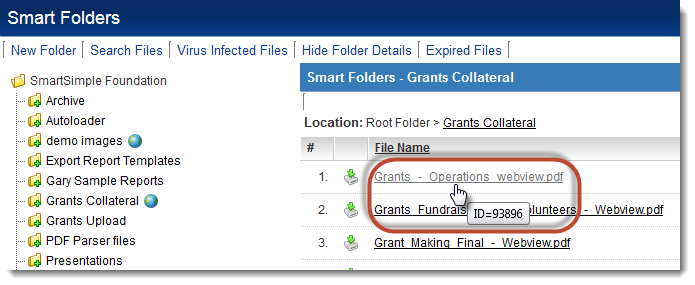
Every file uploaded to a Smart Folder will have a unique ID. This ID can be determined by hovering one's cursor over the file name.
See Also
- Visibility Condition
- Advanced Logic
- Determining the Application ID
- Determining the Category ID
- Determining the Company ID
- Determining the Custom Field ID
- Determining the Event ID
- Determining the File ID
- Determining the Folder ID
- Determining the Opportunity ID
- Determining the Report ID
- Determining the Role ID
- Determining the Root Company ID
- Determining the Status ID
- Determining the Type ID
- Determining the User ID
- Determining the Workflow ID